Submission Status
While a production is live, see who is expected, who has submitted, and who is missing.
- Expected, submitted, and missing are shown together, so the gap is the point rather than a calculation.
- Status is tracked by department, which is the unit the office can actually chase.
- The Project Console shows a same-day summary of the same picture.
Timecard Details
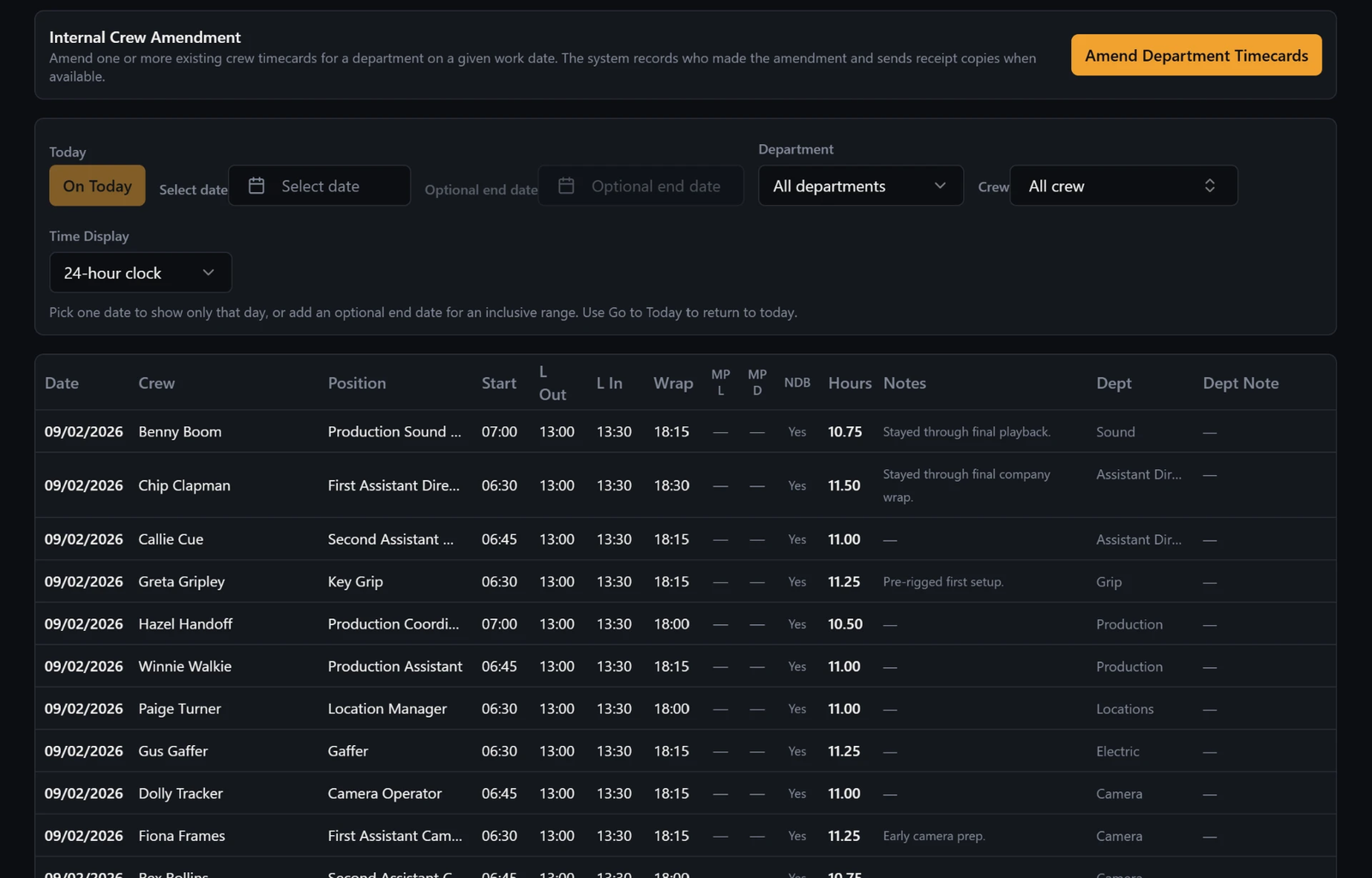
Open a submission and review the row as it was sent: daily position, time in and out, lunch, MP and NDB, hours, and notes.
- Daily position is recorded on the timecard, because the position someone works can change day to day.
- Time in and out, lunch, meal penalty and non-deductible breakfast, hours, and notes are all part of the record.
- Notes are where the day's context survives past the day.
Daily Production Times editor
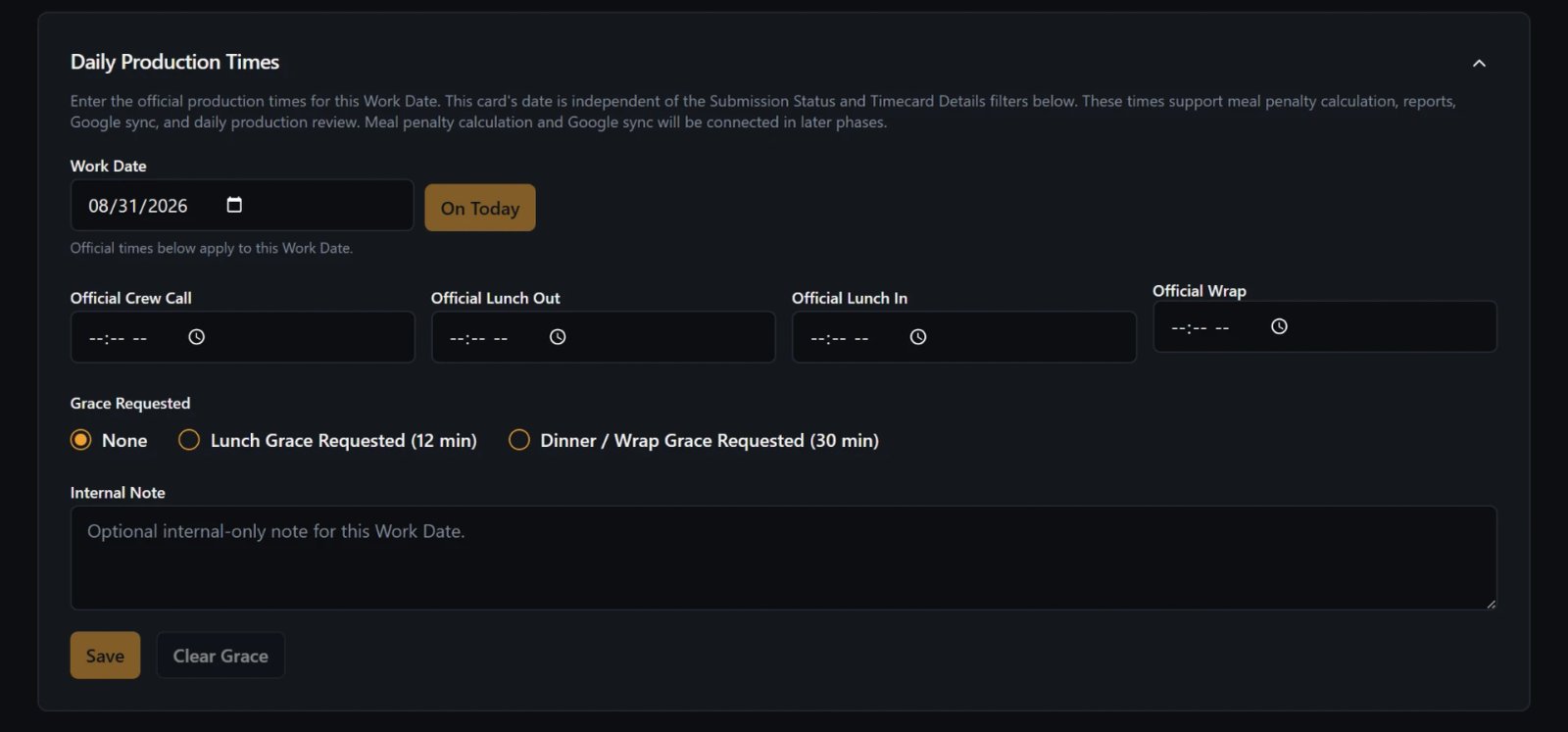
The full production times record for the day: Crew Call, Lunch Out and In, and Wrap, including a wrap that lands the next day.
- Crew Call, Lunch Out, Lunch In, and Wrap are entered as the production actually ran.
- A wrap after midnight is handled as a next-day time, not a broken entry.
- True hours are derived from the times entered, with grace handling applied where it is relevant.
- The Project Console offers quick entry for the same day's times.
Post-shoot review
After the shoot, the records stay reviewable; the timecards do not go dark when the production stops filming.
- Historical review continuity is what makes the archive worth having.
- Filtering and detail review work the same way after wrap as during the run.